Themes (externally: Styles)
Curated AI art-direction system across Amazon’s AI creative products
Themes are curated, one-click creative presets in Amazon Ads Creative Studio that help advertisers turn basic product imagery into polished, brand-relevant campaign visuals. I owned the Themes system end to end across Image Generator, Creative Studio, and Creative Agent - from initial concept and prompt-generation logic to evaluation strategy, theme curation, UX research, launch readiness, and cross-product evolution.
I designed the system that automatically produced themed prompts, selected and tuned supporting models, built prototypes for testing and new theme creation, and created the evaluation framework used to assess quality, variety, and launch readiness. I also led theme taxonomy and usability research, redesigned the system for Creative Studio integration, and trained designers to create and evaluate new themes at scale.
The result was a feature that shipped with 50+ curated themes, powered 45% of total generations, produced stronger engagement than generic generations, and reduced new-theme development time from weeks to days.

1
All
2
Events & Seasons
3
Interior Design Styles
4
Location
5
Visual Accents
1

AI Auto (Default)
2

4th of July
3

Abstract
4

Autumn
5

Back to School
6

Backyard
7

Beach
8
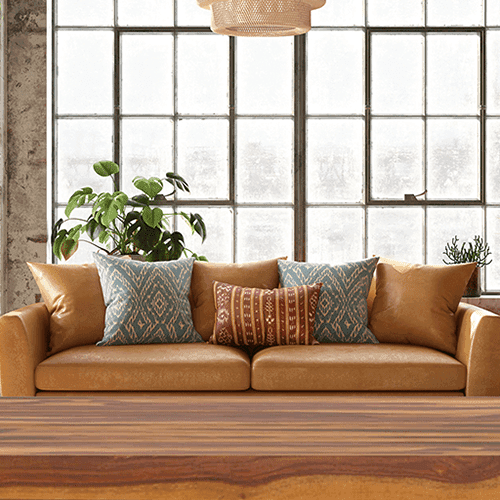
Bohemian Style Interior
9

Botanical Arrangement
10

Christmas (indoor)
11

Christmas (outdoor)
12

City
13

Coastal Style Interior
14
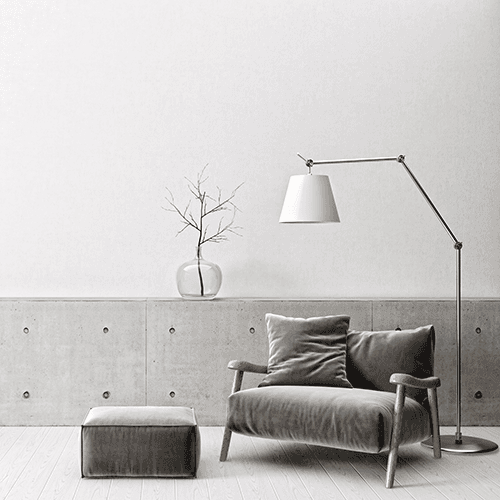
Contemporary Style Interior
15

Cottagecore Style Interior
16

Deep Forest
17

Diwali
18

Easter
19

Eid
20

Elegant Floral Drapery
21

Flowers
22

Game Day
23

Garden
24

Gifts and Party Decor
25

Graduation
26

Halloween
27

Holi
28
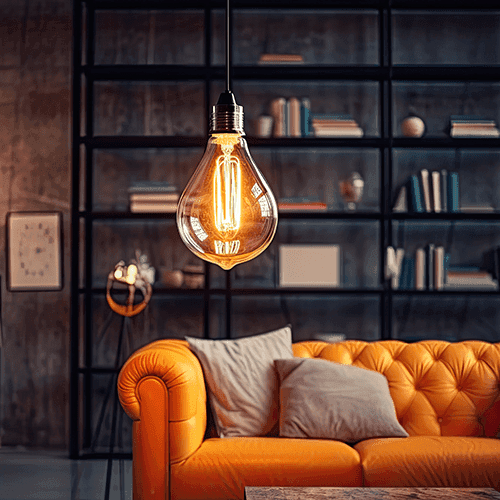
Industrial Style Interior
29

Kwanzaa
30

Liquid Splash
31

Metallic
32
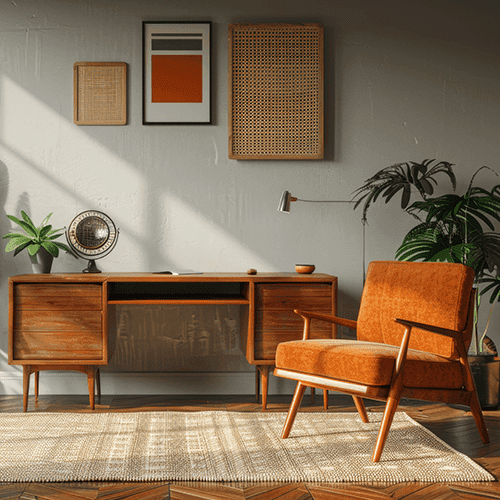
Midcentury Modern Style Interior
33

Minimalist Style Interior
34
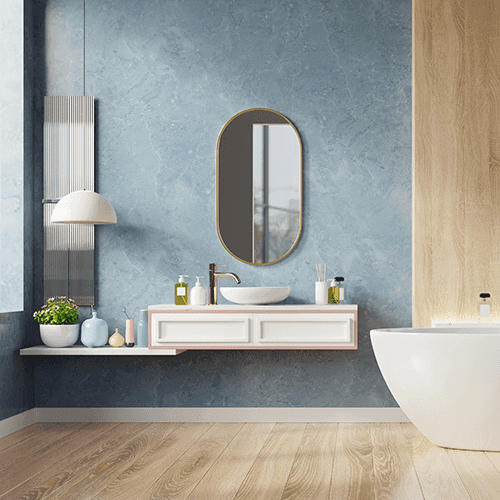
Modern Style Interior
35

Mountain
36

Neon
37

New Year's
38

Rocky Landscape
39

Rustic Style Interior
40
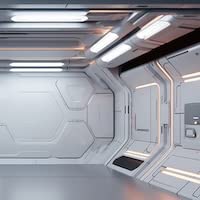
Sci-fi
41

Simple Gradient Background
42

Skate Park
43

Spa
44

Spring
45

Summer
46

Summer Beauty Haul
47

Thanksgiving
48

Valentine's Day
49

Wedding
50

Winter
PROBLEM
Generative image tools can produce compelling visuals when the user already knows how to art direct, write effective prompts, and judge output quality. Many advertisers do not. They have only a basic product photo, limited creative resources, and little confidence in how to turn it into a polished campaign image.
This created a gap between what generative tools are capable of generating and what advertisers could realistically produce. A blank-prompt workflow introduced friction, uncertainty, and inconsistent results, making seasonal refreshes and creative testing harder to scale.
Blank-prompt friction
Low creative confidence
Inconsistent output quality
Slow seasonal refreshes
Before: basic product asset
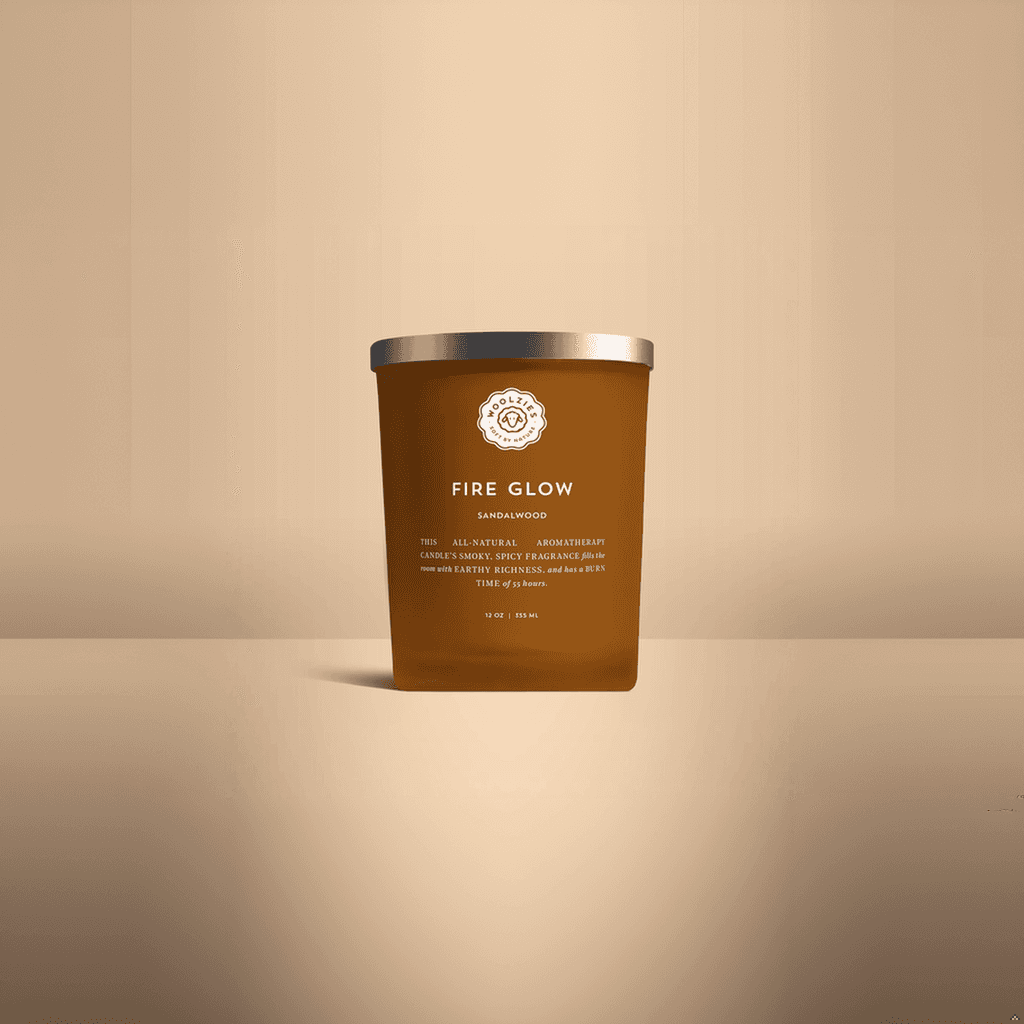
After: Themed campaign visual




SOLUTION
Guided creative system instead of blank-prompt workflow
Themes turned AI image generation into a guided creative workflow. Instead of asking advertisers to conceptualize a visual direction from scratch, the system offers curated presets that encode useful, repeatable art-direction patterns. Advertisers start from an expertly crafted look, then generate and refine multiple variations quickly.
Themes functioned as a structured control layer between a product input and the final generated image. A selected theme shapes the visual direction of the output, helping the system produce more contextual, usable, brand-aligned, and campaign-ready imagery while eliminating reliance on open-ended prompting.
01
All
Events & Seasons
Location
Interior Design Styles
Visual Accents
Browse category
Explore visual directions by theme group.
02
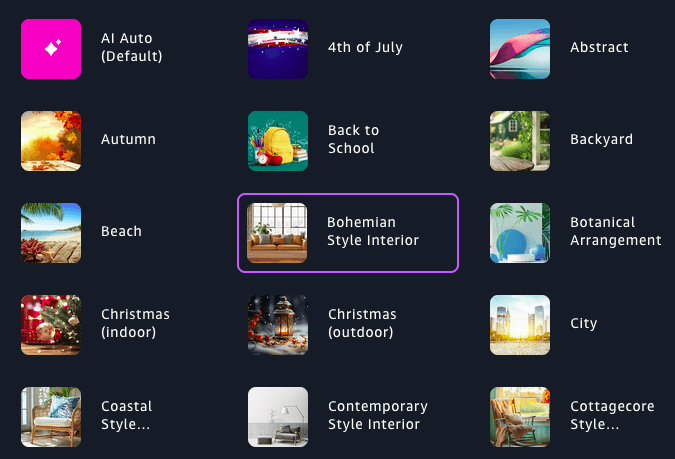
Select theme
Choose a curated theme for generation.
03
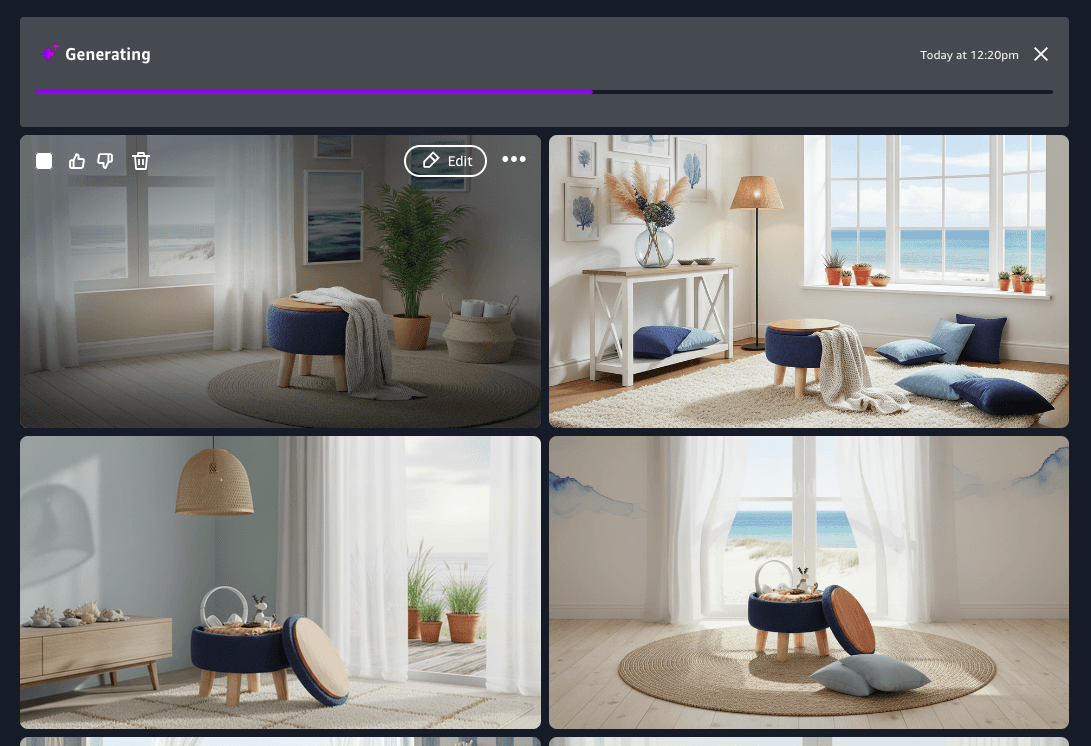
Generate variations
Produce polished options from one direction.
04
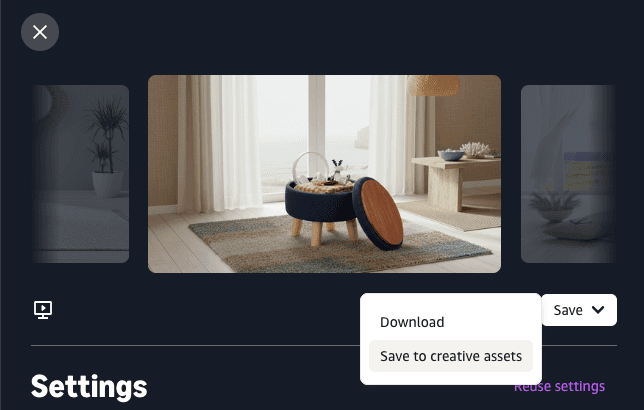
Save / activate
Keep the strongest results for campaign use.
SYSTEM
Prompt logic
Translates theme selection into structured generation behavior.
SYSTEM
Model tuning
Optimizes supporting models and settings for better output quality.
SYSTEM
Evaluation
Measures quality, relevance, and variety across outputs.
SYSTEM
Launch criteria
Defines the standards a theme must meet before release.
SYSTEM
Designer tooling
Supports faster creation, testing, and scaling of new themes.
HOW THEMES WORK
The system translates a selected theme into multiple product-aware prompts used to generate image variations grounded in both creative direction and advertiser context.
Rather than acting as a simple visual preset, a theme serves as structured creative input. Theme input is combined with product details, brand insights, and other relevant context to produce a range of prompts that are both visually themed and product-relevant.
The prompts are then used by an image model to generate more contextual and usable creative variations for campaign development.
Theme metadata
Product signals
Brand research
Multi-prompt synthesis
Image variations
Themes provide a guided creative starting point
A selected theme gives the system a clear visual direction for generation, helping move advertisers beyond a blank-prompt workflow.
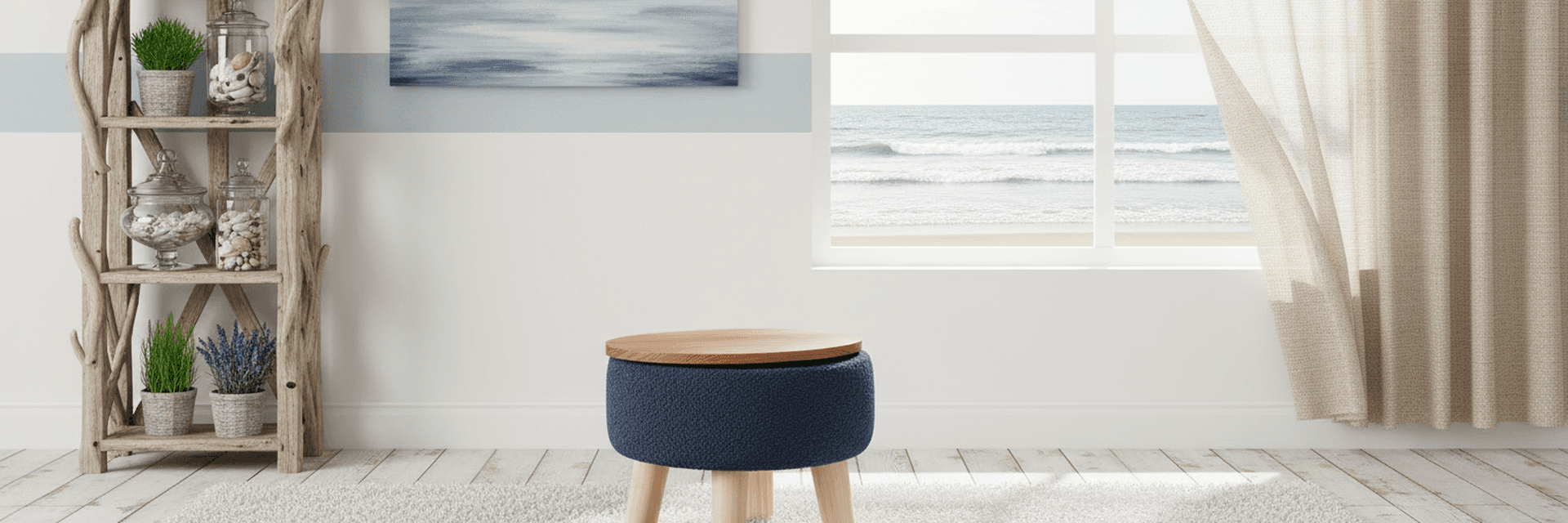
Coastal Style Interior
Light, airy, and relaxed coastal style interior space with neutral, ocean inspired color tones, natural materials, and abundant natural light.
natural bright light
large windows
sheer curtains
wicker
beachwood
seagrass
linen
neutral marine tones
whitewashed
beach accents
Themes give generation a clear visual direction from the start.
Generation stays grounded in advertiser context
Theme metadata is combined with relevant product and brand context. Outputs stay visually directed while remaining relevant to the advertised product.
Theme
Structured creative direction
Product context
Relevant product details
Brand context
Brand-aware creative cues
CORE SYSTEM
Guided generation
Creative direction + advertiser context -> keeps outputs relevant.
OUTPUTS
Multiple creative variations
Produces a range of relevant visual outcomes.



Themes shape creative direction while product and brand context keep outputs relevant.
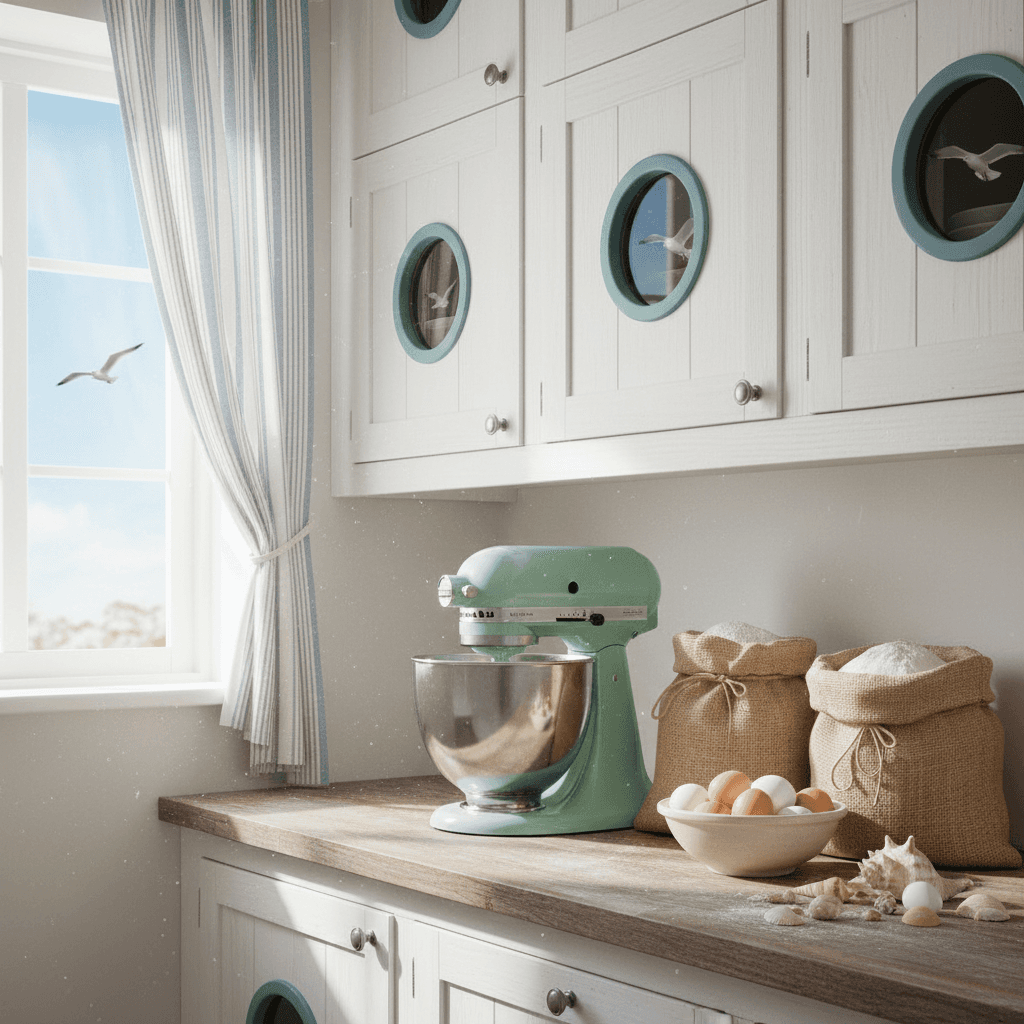
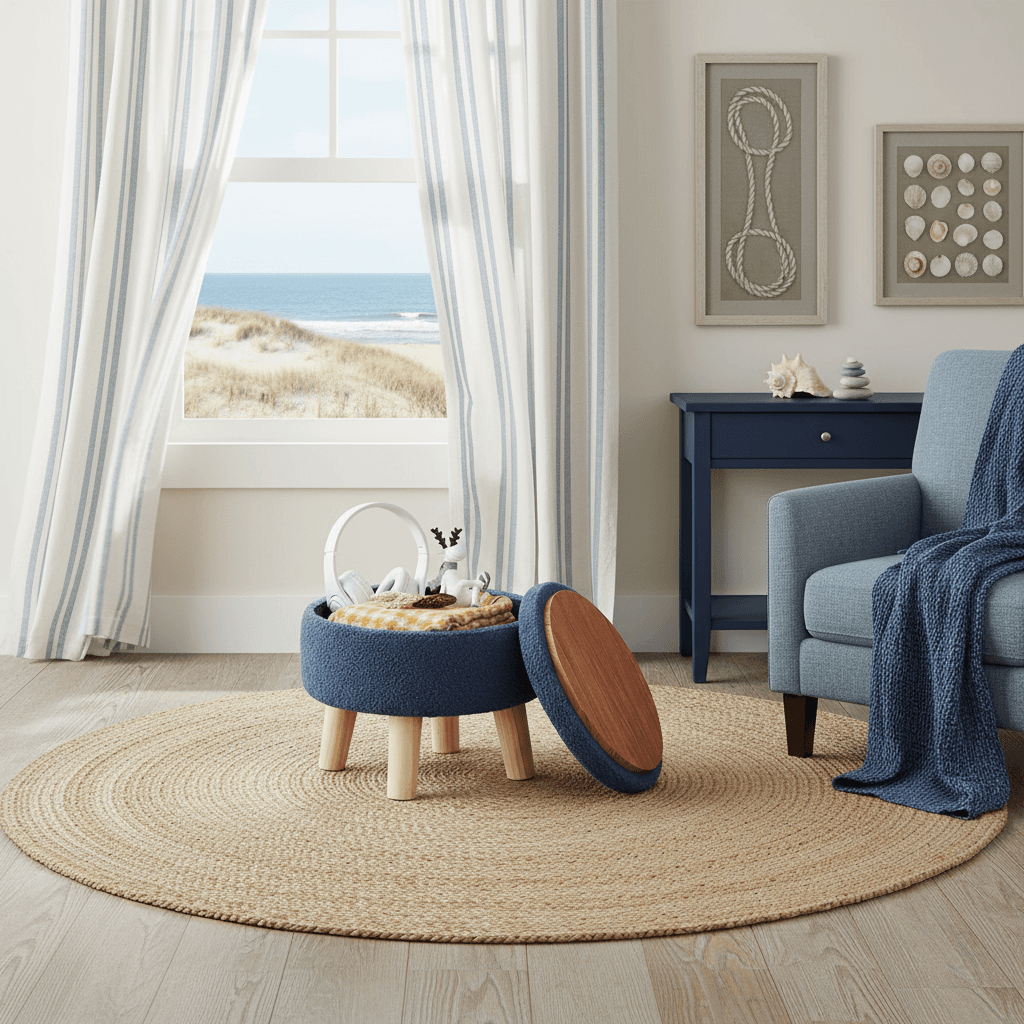
One theme adapts across different products
The same theme can guide generation for different types of products while producing outcomes uniquely relevant to each advertised item. This helps advertisers use a consistent creative direction with different relevant results across categories.
SAME THEME DIFFERENT PRODUCTS
Theme: Coastal Style Interior
stand mixer

hand cream
ottoman
A single theme produces different but consistent outcomes relevant to the advertised product.
SYSTEM EVOLUTION
Themes initially relied on a more fixed generation approach. Each theme produced a recognizable visual look, but outputs were often too uniform, offered limited scene variety, and were less responsive to the specific advertised product or brand. The workflow required extensive manual upkeep. Theme library expansion was slow and theme input was hard to adapt as the broader generation stack evolved.
I redesigned the system so Themes could guide generation more dynamically. Instead of producing narrowly repeated imagery, the updated approach creates a wide range of scenes while staying aligned with product and brand context. Themed prompts are tuned to closely match target audience signals. This improves variety, increases relevance, eliminates manual rework, and makes it significantly faster to develop and launch new themes.
fixed -> adaptive
Scene variety
Product-aware
Brand-aware
Target audience appeal
Faster development
Reduced time to launch
Earlier themes produced a narrow range of results
The first generation of Themes established a recognizable visual direction, but outputs were uniform and less responsive to the advertised product, brand, and target audiences.
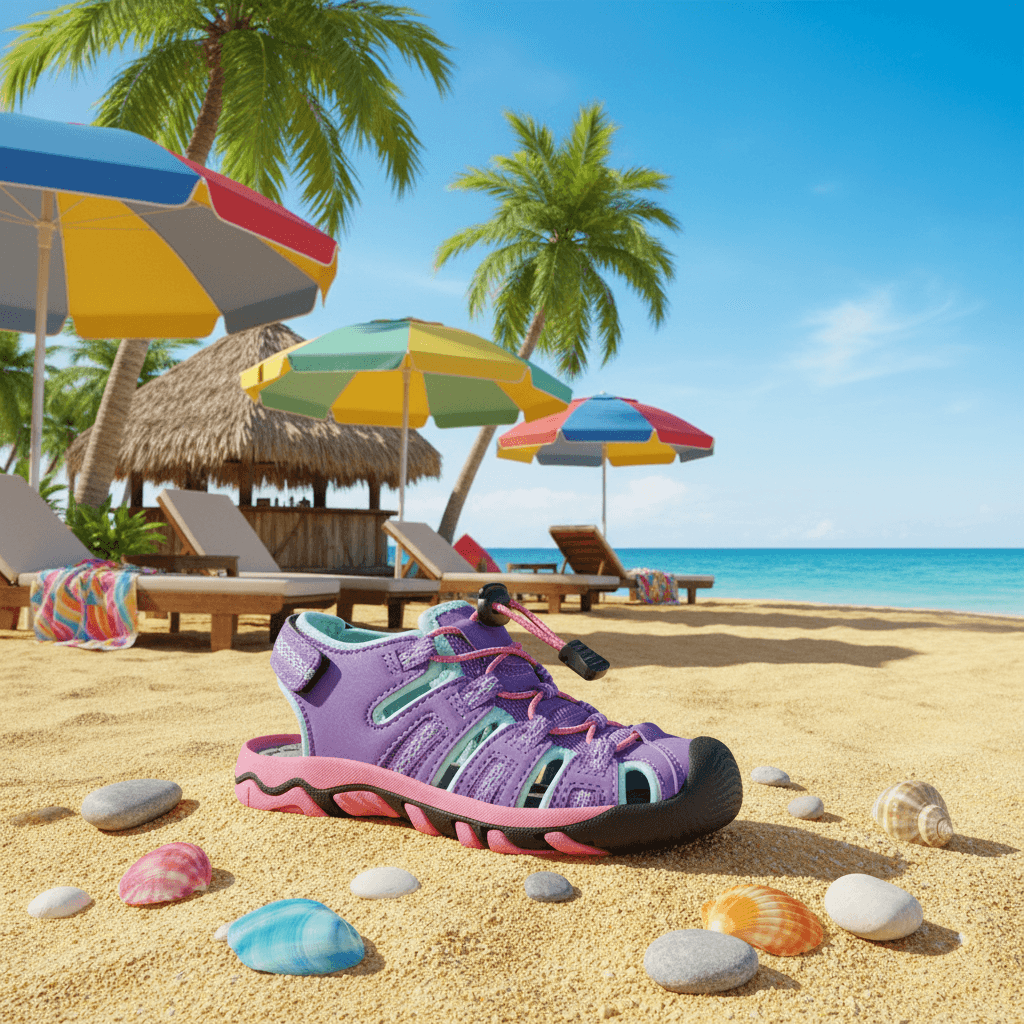
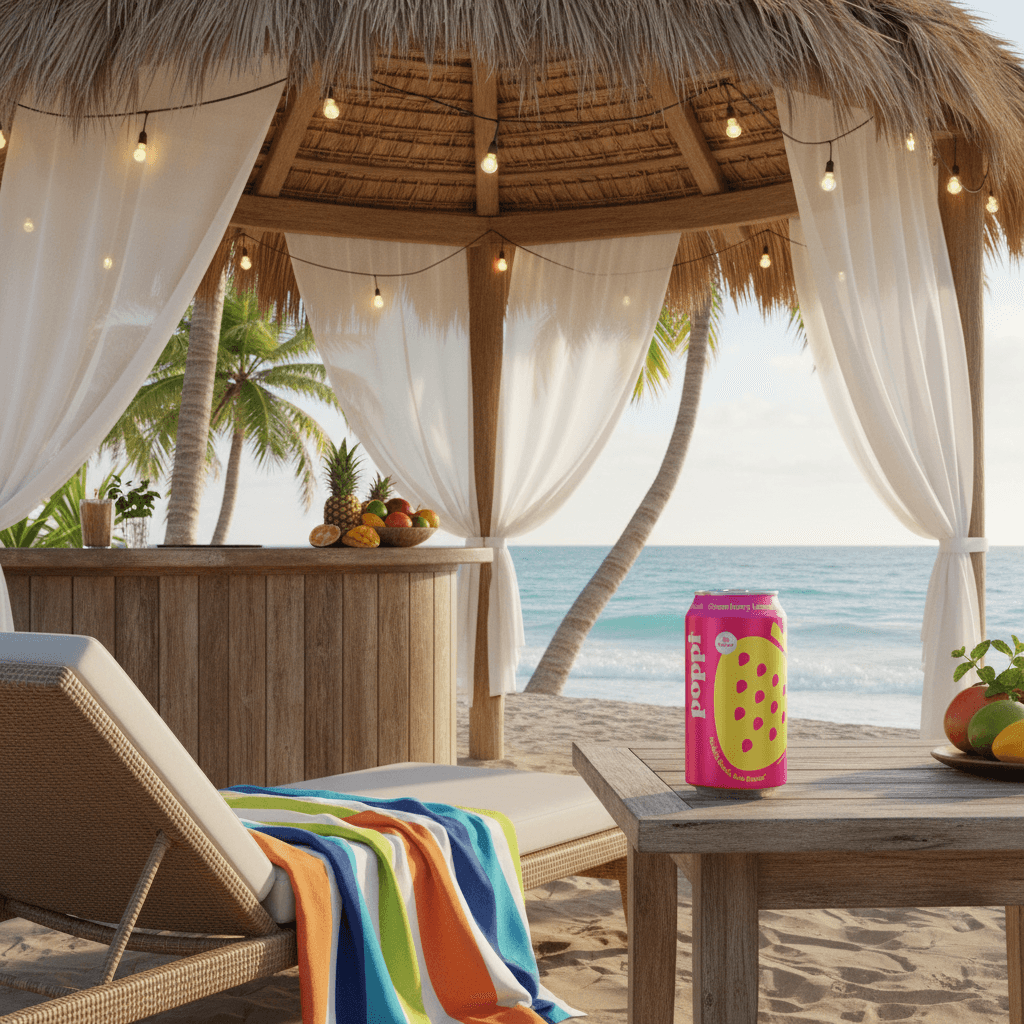

Early approach created consistency, but often with limited range and weaker contextual relevance. Eg. Summer theme produced a consistent tropical beach look regardless of advertised product.
Redesigned system generates highly adaptive outcomes
The updated approach preserves the creative direction of a theme while producing a broader range of scenes that better reflect product, brand, and audience context.

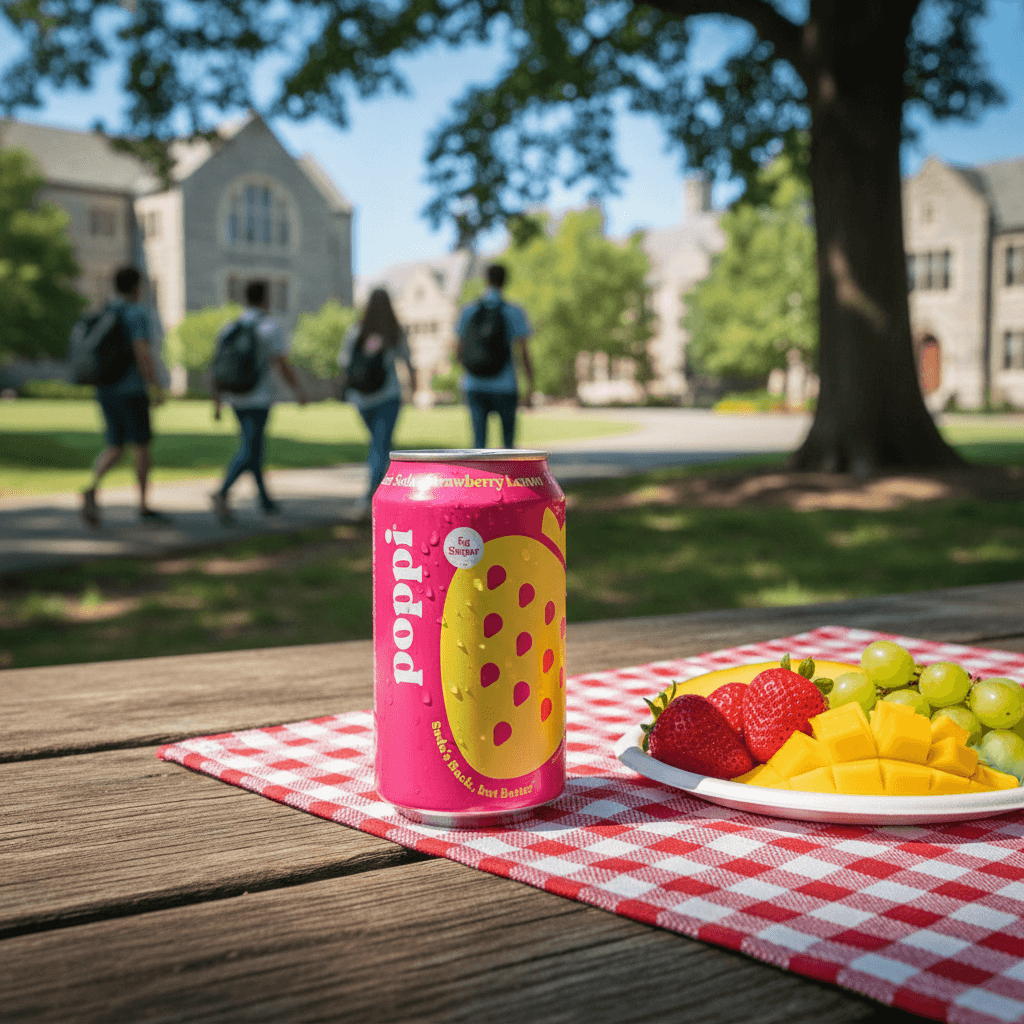
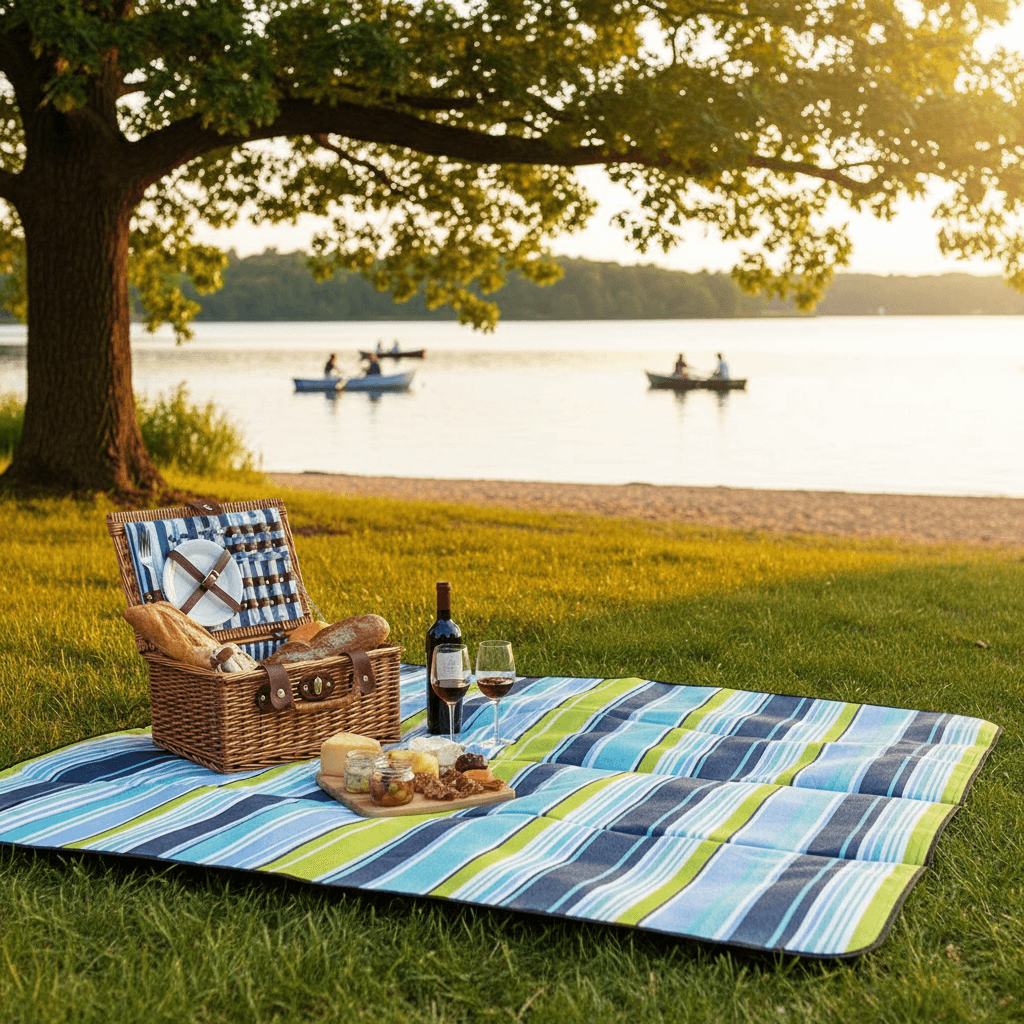
Redesign shifts Themes from fixed outputs toward varied, context-aware creative generation. Eg. Summer theme now produces consistent summer scenes relevant to the advertised product and audience.
Redesign improves output quality and system scalability
The new approach increases scene variety, strengthens product, brand and target audience relevance, eliminates manual rework, and makes it significantly faster to develop and launch new themes.



Rdesign improves both the creative outputs and the workflow behind them. Eg. Summer theme produces a variety of product-relevant scenes for the same product, while maintaining the summer theme aesthetic.
EVALUATION AND LAUNCH
Designing evaluation frameworks for theme development and launch
Evaluation played two roles in the Themes system. During theme development, it helped designers refine a theme until it consistently produced launch-ready imagery. I defined the criteria used to assess themed outputs and created practical ways to connect recurring image issues back to the parts of the theme that needed adjustment. This made theme development more systematic, faster to iterate, and less dependent on guesswork.
Evaluation also governed launch decisions. I defined the metrics used to assess launch readiness, established thresholds for each metric, built templates for large-scale review, and set up human-in-the-loop evaluations to gather results at scale. This framework helped make clear, consistent, and data-backed launch decisions as the theme library expanded.
Development evaluation
Used during theme creation to refine inputs, improve image quality, and make iteration more systematic.
Output quality criteria
Targeted refinement
No guesswork
Faster iteration
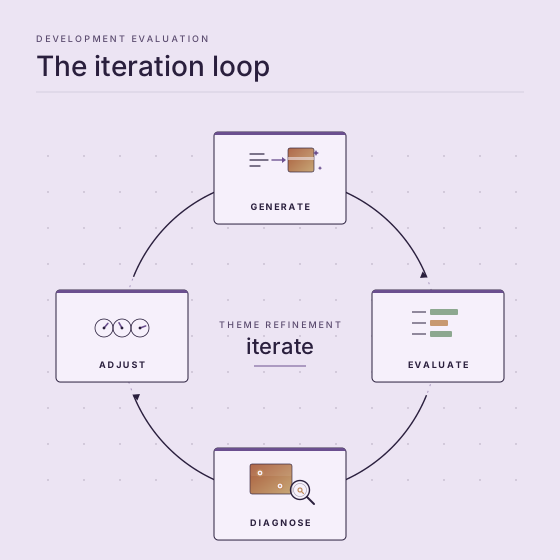
Continuous evaluation during development ensures high quality theme output
Launch evaluation
Used to measure readiness, apply thresholds, and support consistent launch decisions at scale.
Launch metrics
Thresholds
Review templates
Human-in-the-loop
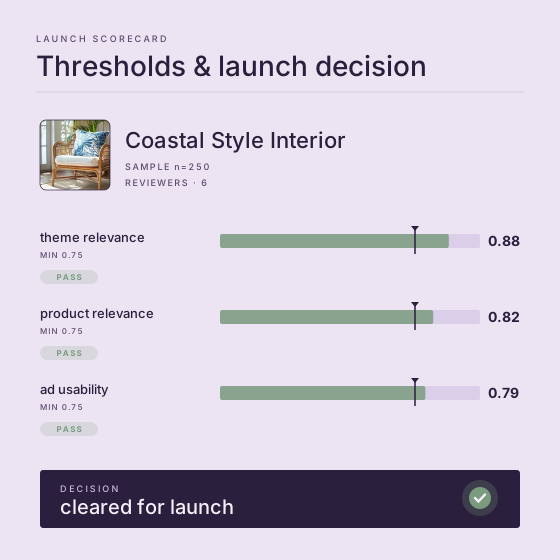
Launch evaluations help make clear, consistent, and data-backed decisions
USABILITY
Making themes easier to browse, understand, and trust
I made Themes easier to browse, easier to understand, and more predictable for advertisers. Through voice-of-the-customer interviews, UX studies, and interface research, I identified where advertisers were getting confused by naming, categorization, and mismatches between theme expectations and actual outputs. I used those findings to improve grouping, strengthen the relationship between theme names and visual outcomes, and make the library easier to navigate inside Creative Studio.
I also reduced redundancy in the theme library by identifying themes that produced similar outputs despite having different names. Consolidating overlapping options made the library shorter and clearer, reduced cognitive load during browsing, and preserved a strong range of relevant choices across product categories.
User interviews
UX research
Taxonomy design
Information architecture
Reduced cognitive load
Improved discoverability
1
All
2
Events & Seasons
3
Interior Design Styles
4
Location
5
Visual Accents
1
1
AI Auto (Default)
2
2
4th of July
3
3
Abstract
4
Autumn
5
Back to School
6
Backyard
7
Beach
8
Bohemian Style Interior
9
Botanical Arrangement
10
Christmas (indoor)
11
Christmas (outdoor)
12
City
13
Coastal Style Interior
14
Contemporary Style Interior
15
Cottagecore Style Interior
16
Deep Forest
17
Diwali
18
Easter
19
Eid
20
Elegant Floral Drapery
21
Flowers
22
Game Day
23
Garden
24
Gifts and Party Decor
25
Graduation
26
Halloween
27
Holi
28
Industrial Style Interior
29
Kwanzaa
30
Liquid Splash
31
Metallic
32
Midcentury Modern Style Interior
33
Minimalist Style Interior
34
Modern Style Interior
35
Mountain
36
Neon
37
New Year's
38
Rocky Landscape
39
Rustic Style Interior
40
Sci-fi
41
Simple Gradient Background
42
Skate Park
43
Spa
44
Spring
45
Summer
46
Summer Beauty Haul
47
Thanksgiving
48
Valentine's Day
49
Wedding
50
Winter
1
UX research led to clearer categorization reducing cognitive load and theme selection times, as library navigation became more intuitive
2
Short, descriptive theme naming improved user understanding, strengthening the connection between theme names and expected visual outcomes
3
Better representative thumbnails help make theme visual outcomes more predictable
SCALING THE SYSTEM
From one-off theme creation to a repeatable production model
To make Themes sustainable, I designed templates for new theme creation, produced technical and designer-facing documentation, and trained designers to curate and evaluate new themes rapidly. I built prototypes that accelerated development and made outputs easier to test systematically.
This helped Themes scale beyond one-off manual creation. Instead of treating each theme as an isolated creative artifact, I created the operational model for expanding the system with greater speed and consistency.
To ensure broad coverage across Amazon’s catalog I performed theme-to-product-category matching, and contributed to the training of the pre-generation system that matched themes to product categories and generated optimized starting points and inspiration for advertisers.
Templates
Documentation
Designer training
Designer tooling
Prototyping
Broad category coverage
Evaluation tools
RESTYLE
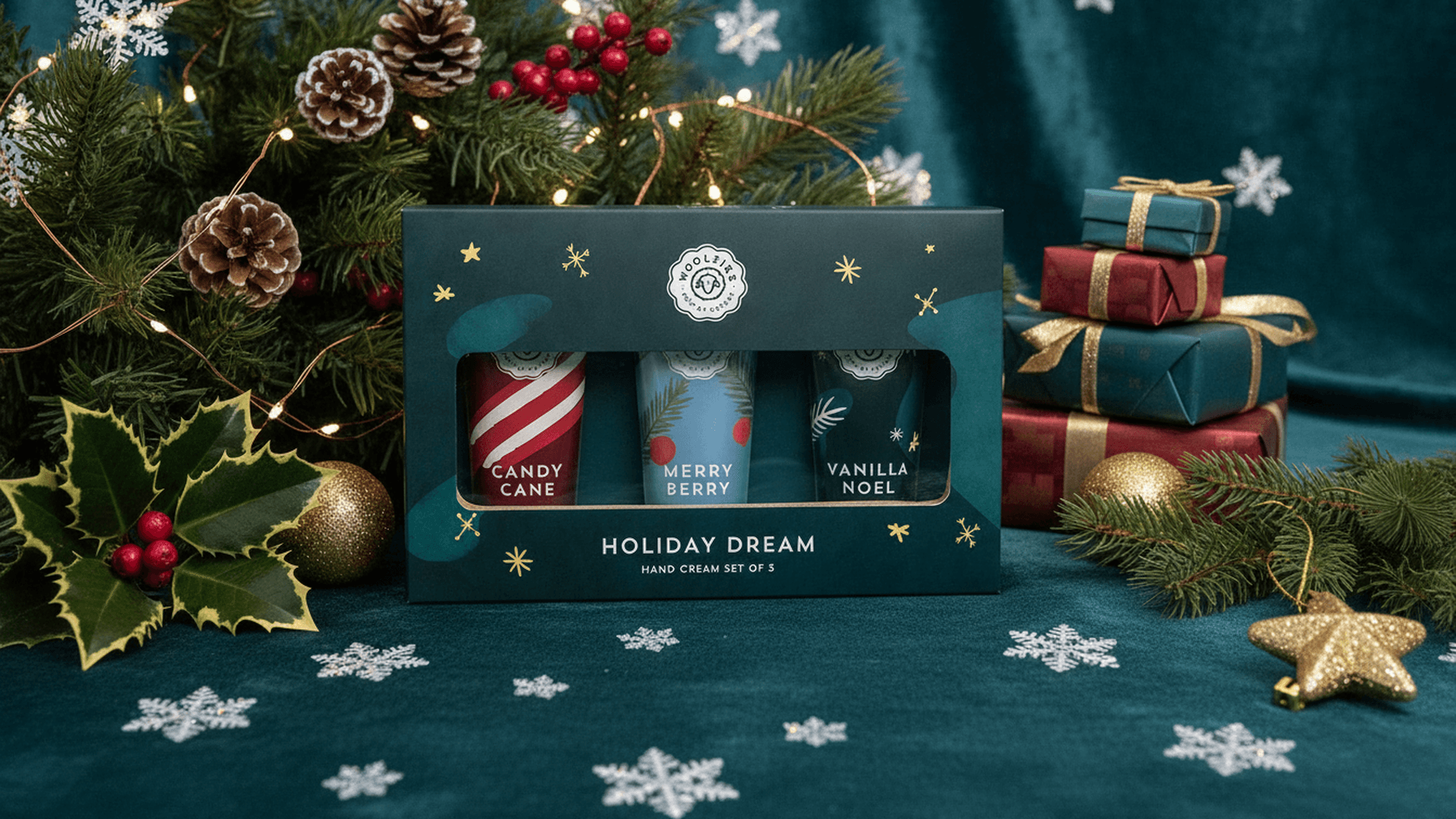
Restyle is a workflow that applies a selected theme to an existing image with adjustable strength. This expanded Themes from a generation-only feature into a more flexible editing capability, giving advertisers a way to preserve useful image structure while shifting the visual treatment toward a selected creative direction.
Restyle made the system more adaptable for advertisers who already had imagery they wanted to evolve rather than replace entirely. It became an essential tool, especially valuable for advertisers who need to quickly adapt existing campaign creative during seasonal events when themed creative is needed fast.
Restyle extended the value of Themes deeper into the creative workflow by supporting refinement, not just generation.
Refinement
Flexibility
Strength adjustment
Reduced time to launch
Applying a theme without fully replacing the underlying image structure
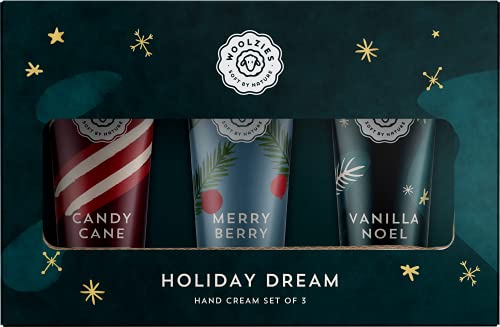
ASIN: B09G1SK3Q7
Original

Low strength

Medium strength

High strength
FUTURE DIRECTIONS
Extending Themes beyond product-led generation
Beyond the shipped feature, I worked on extending Themes into new creative workflows. One direction was non-product themed generation, where users begin with their own prompt instead of a product. To support this, I explored swapping product-specific prompt logic with new instruction modules that could add theme elements while preserving the user’s original creative intent.
This required handling difficult edge cases where the user prompt and the selected theme could conflict visually or conceptually. I developed strategies for balancing prompt fidelity with themed styling so the system could guide the output in creative ways that produced plausible scenes.
I also explored localized themed generation, designing ways for Themes to produce more location-relevant imagery while staying within responsible AI guidelines. These extensions pointed toward a broader future for Themes: a flexible framework for guided, context-aware creative generation.
non-product generation
themed prompt editing
prompt-theme balancing
localization
REFLECTION
Owning Themes end to end across three products taught me to think in systems rather than features. Every decision made in one part of the system had far-reaching, sometimes unforeseen consequences: a theme's internal structure shaped what the model generated, decisions about evaluation criteria influenced what designers learned to aim for, and the design decisions for the system prompt architecture determined whether later migrations and extensions were easily achievable or required extensive rework. This full-system visibility changed how I scope work. I think about how a decision will propagate, quickly prototype and test possible ramifications, and get supporting data before committing to it.
This project gave me deep experience with an important and underexplored design challenge: encoding creative expertise into AI so that non-expert users get expert-quality results. The quality of creative curation upstream directly determines the quality of AI output downstream, and getting that curation right required equal parts creative judgment, technical precision, and systematic evaluation. I developed a working methodology for all three that I'm carrying into future projects.
By turning art direction into a guided product system, I made AI image generation more accessible for advertisers while also creating a foundation that could evolve across multiple Amazon Ads experiences.
SHOWCASE
Themes shipped first in Image Generator and later evolved into Creative Studio, where they became a core part of a more guided and scalable AI creative workflow. The feature launched with 50+ curated themes across multiple categories and achieved broad reach across product types. Themes became the most-used feature across Amazon's AI creative products.